What's changed
Your editing tools, in familiar places
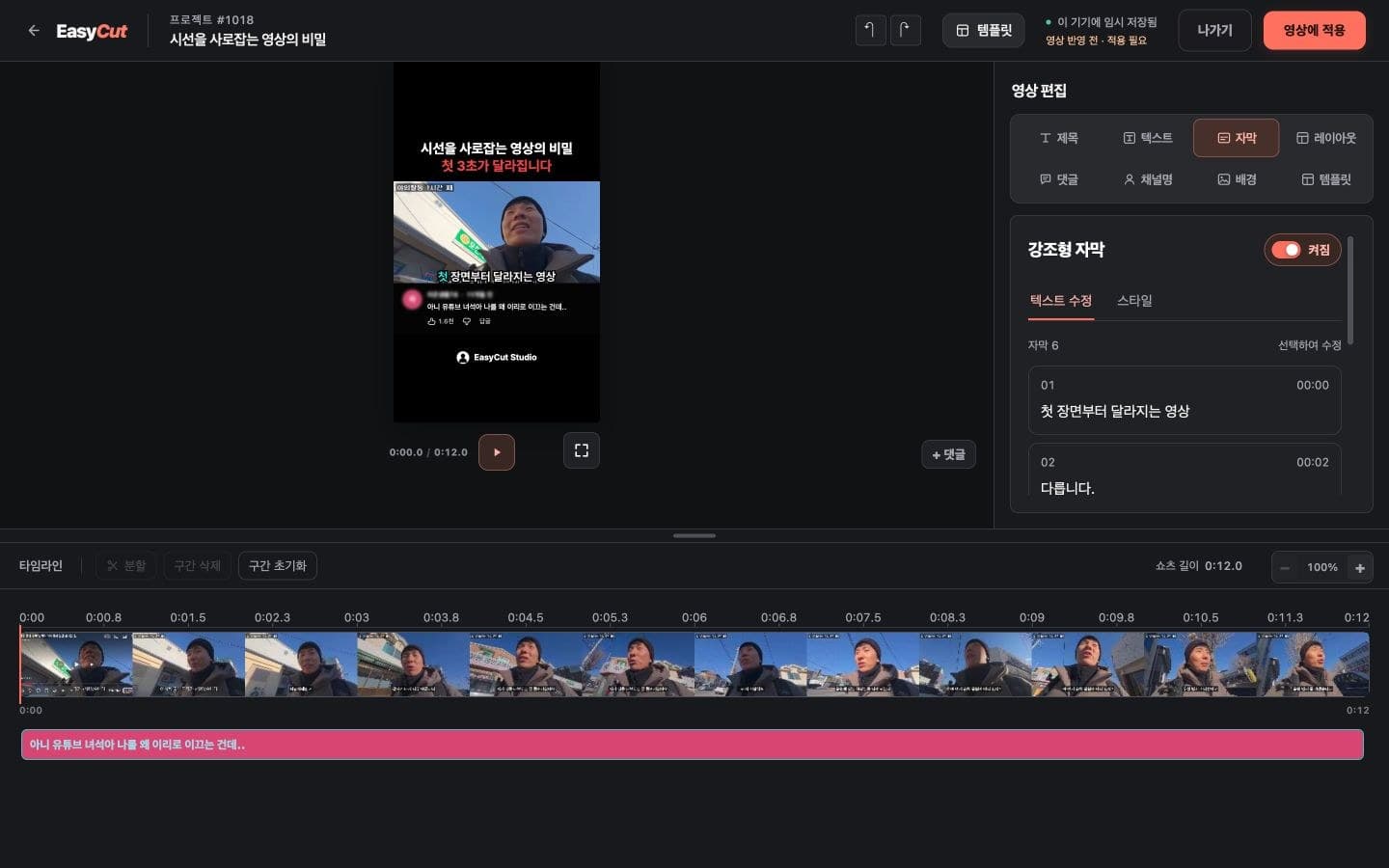
SNS and Community templates now share the standard editor layout. Edit titles, text, layout, comments, channel names and backgrounds with the same set of tools.
Make images and text your own
Choose a saved image or upload a new background, and change the channel image too. Edit SNS body text and hashtags, or Community board names and body text, as text layers.
Fine-tune layers and timing
Adjust element positions and sizes in the preview, then refine video segments and text timing in the timeline below. Undo and redo work the same way across these templates.
Caption editing is also available for videos with source caption data.
Your existing video stays unchanged until you apply edits
Opening the editor does not change your existing video. When you're ready, select “Apply to video” to render your edits. The shared editor uses its own typography and layout, so the result may differ slightly from the previous template.
How to use it
Give it a try
- 01
Open an SNS or Community video in your project and select Edit.
- 02
Use Text, Channel name and Background to change text and images. Adjust positions and timing in the preview and timeline.
- 03
Check the preview and select “Apply to video.” Once rendering finishes, view the result in your project.
Based on the change history for 2026.10.22. Screenshots may differ from the interface at the time of the update and may be in Korean. Check your account, plan and current service notices for feature availability.