Changes
See the difference
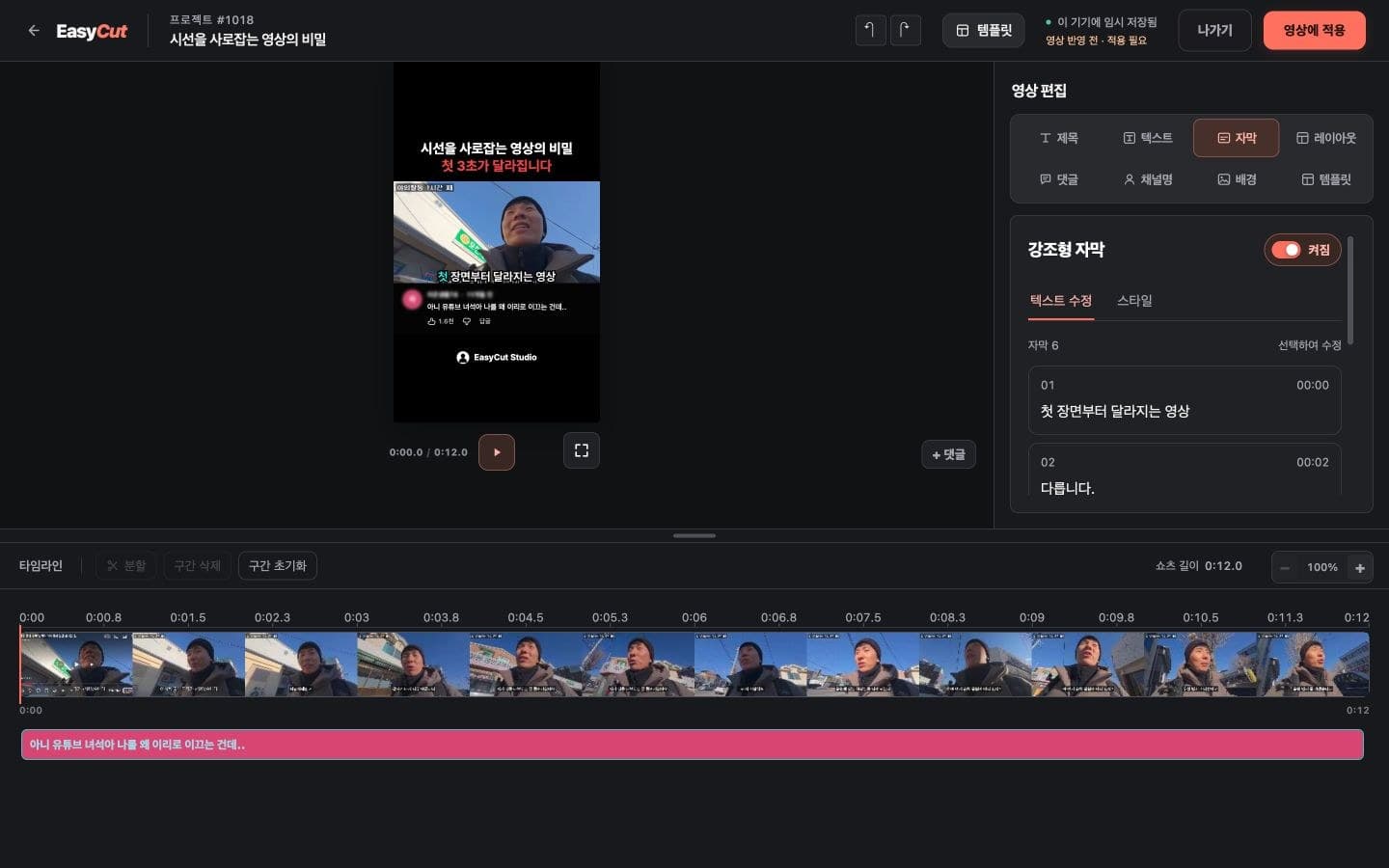
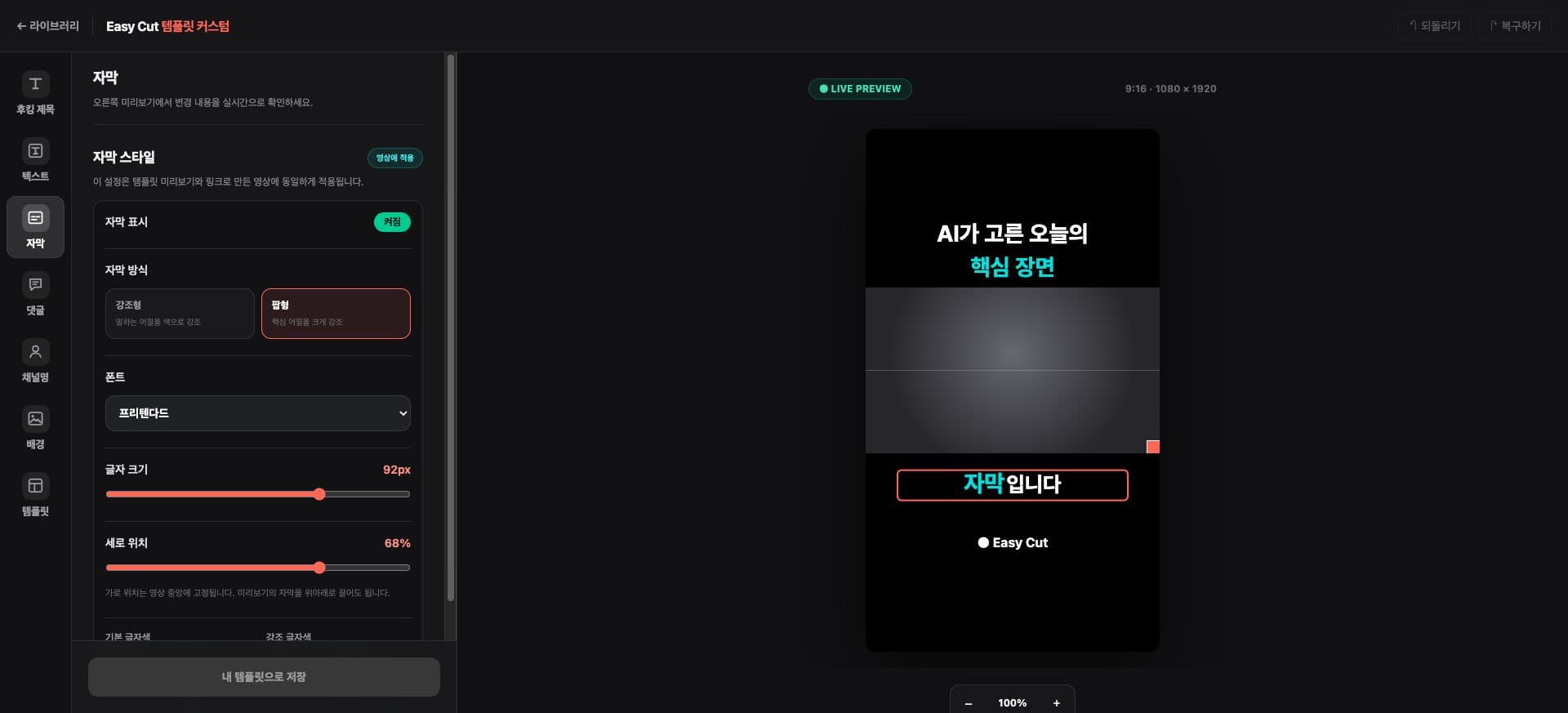
We've adjusted the default placement of Pop and Emphasize subtitles to create clearer distinctions between titles, videos, and subtitles.
We've also improved the per-language hook phrases and text layout for SNS templates.
The positions of templates already saved will be maintained, so please adjust them directly in the subtitle settings if needed.
See it in action
Check the placement in your actual video. Tap the image to enlarge it.
- 1Subtitle Style and Position
- 2Subtitle Preview
How to use it
How to use
- 01
Open a Pop or Emphasize subtitle in the template library.
- 02
Check the vertical position and text size in the Subtitles tab.
- 03
Adjust to fit your video, then save as a template.
Based on the change history for 2026.09.30. Screenshots may differ from the interface at the time of the update and may be in Korean. Check your account, plan and current service notices for feature availability.