Changes
See What's Changed
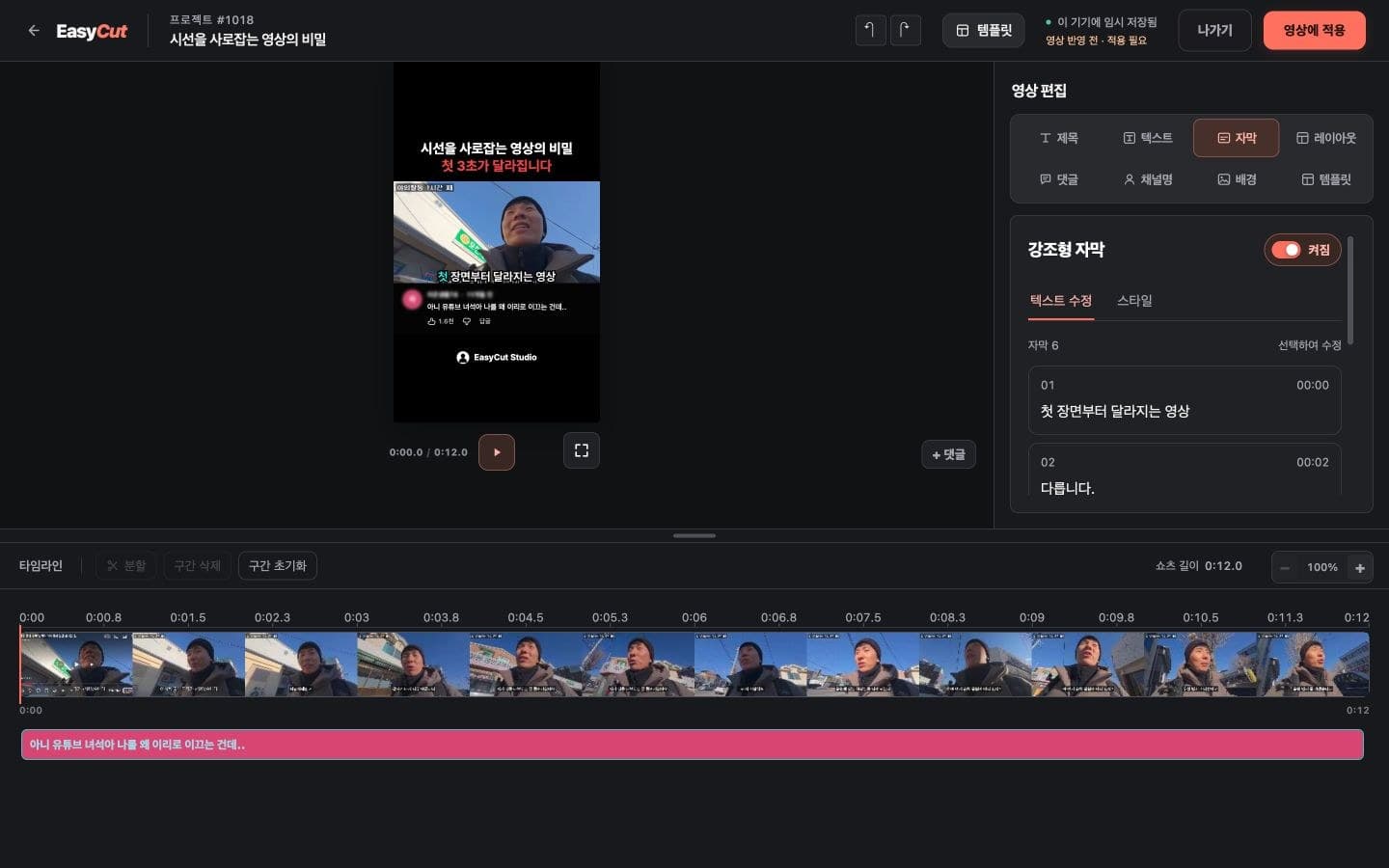
We've refined subtitle punctuation and preview line breaks.
We've improved the process to maintain your script and edits, even if subtitle issues arise.
When applying edits, we've also implemented subsequent adjustments to prevent unintended title/subtitle conflicts.
See it in Action
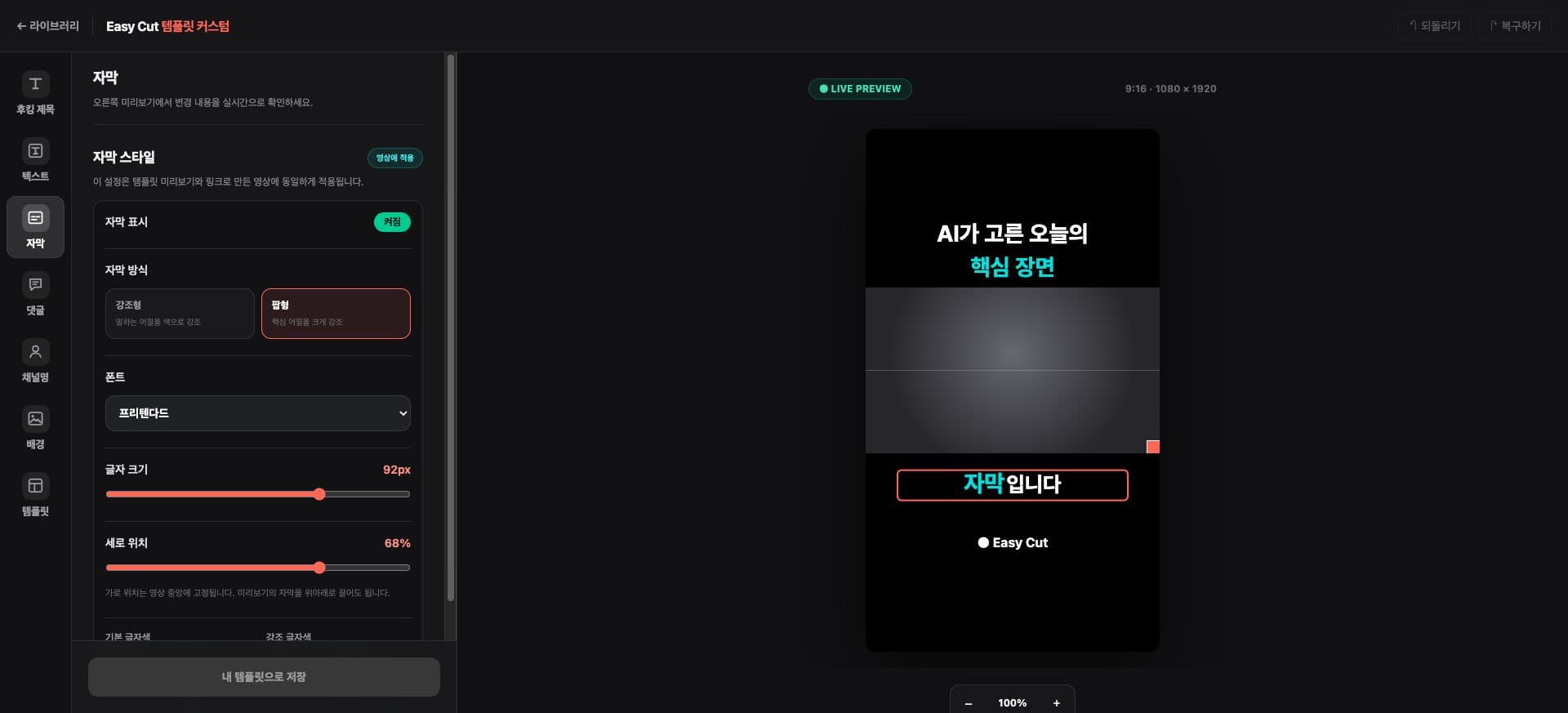
Check the position you'll use in the actual screen. Tap the image to enlarge.
- 1Subtitle Style & Position
- 2Subtitle Preview
How to use it
How to Use
- 01
Check scripts and subtitles in your project.
- 02
Edit the text to change and check the preview.
- 03
Save and check the reflection status.
Based on the change history for 2026.09.18. Screenshots may differ from the interface at the time of the update and may be in Korean. Check your account, plan and current service notices for feature availability.