Changes
Here's how it's changed
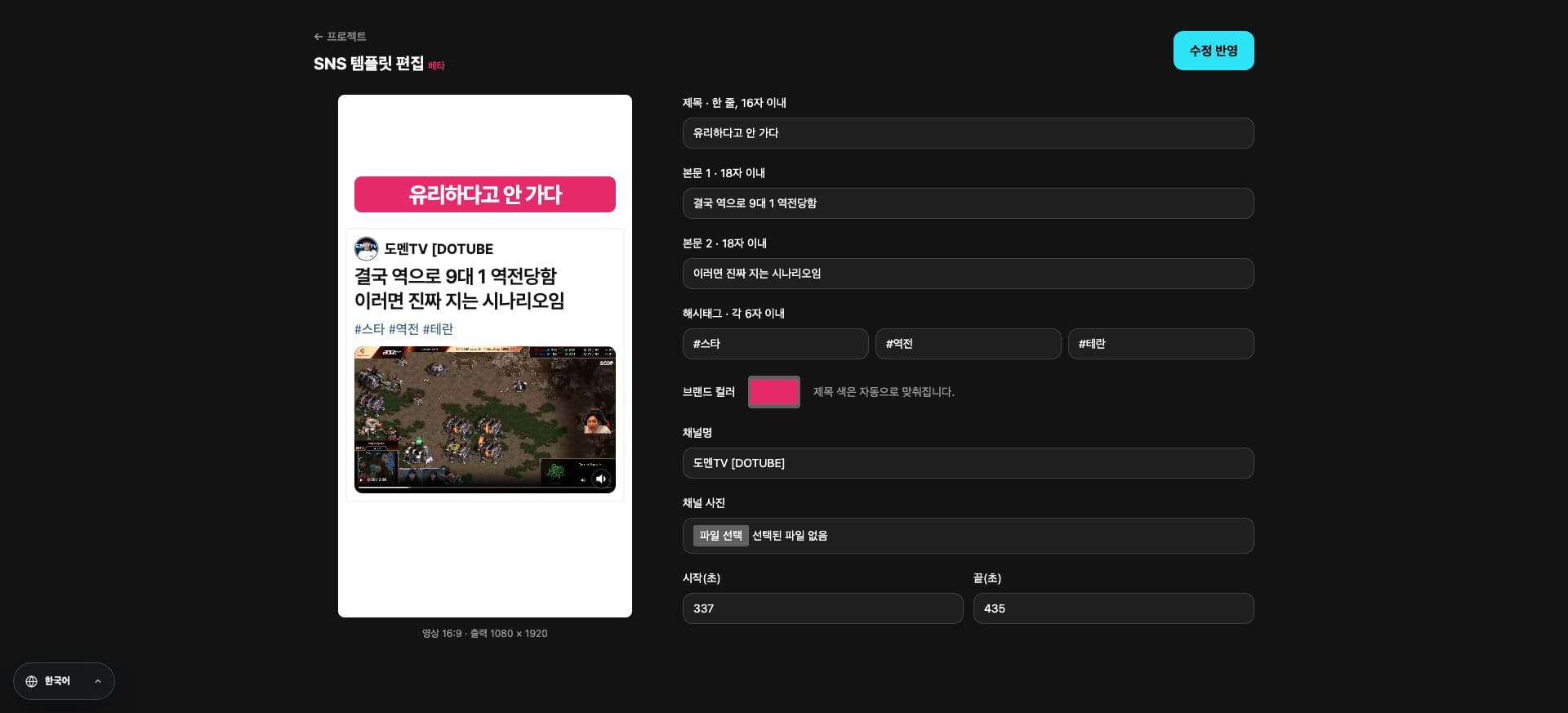
We've added Social Media Templates to the YouTube Link creation screen. You can select them after logging in.
Your channel profile and caption are displayed alongside your video, creating a social feed-like impression.
We provide a dedicated editing flow and aspect ratio settings for social media. Supported editing items may differ from existing subtitle templates.
See it in action
Check where to use it in the actual screen. Tap the image to view it larger.
- 1Social Media Style Preview
- 2Profile & Caption Settings
How to use it
How to use
- 01
Open the creation settings via the YouTube Link.
- 02
Select "Social Media Template" from the style list.
- 03
Check the aspect ratio and brand colors, then proceed with creation.
Based on the change history for 2026.09.30. Screenshots may differ from the interface at the time of the update and may be in Korean. Check your account, plan and current service notices for feature availability.