Changes
How it has changed
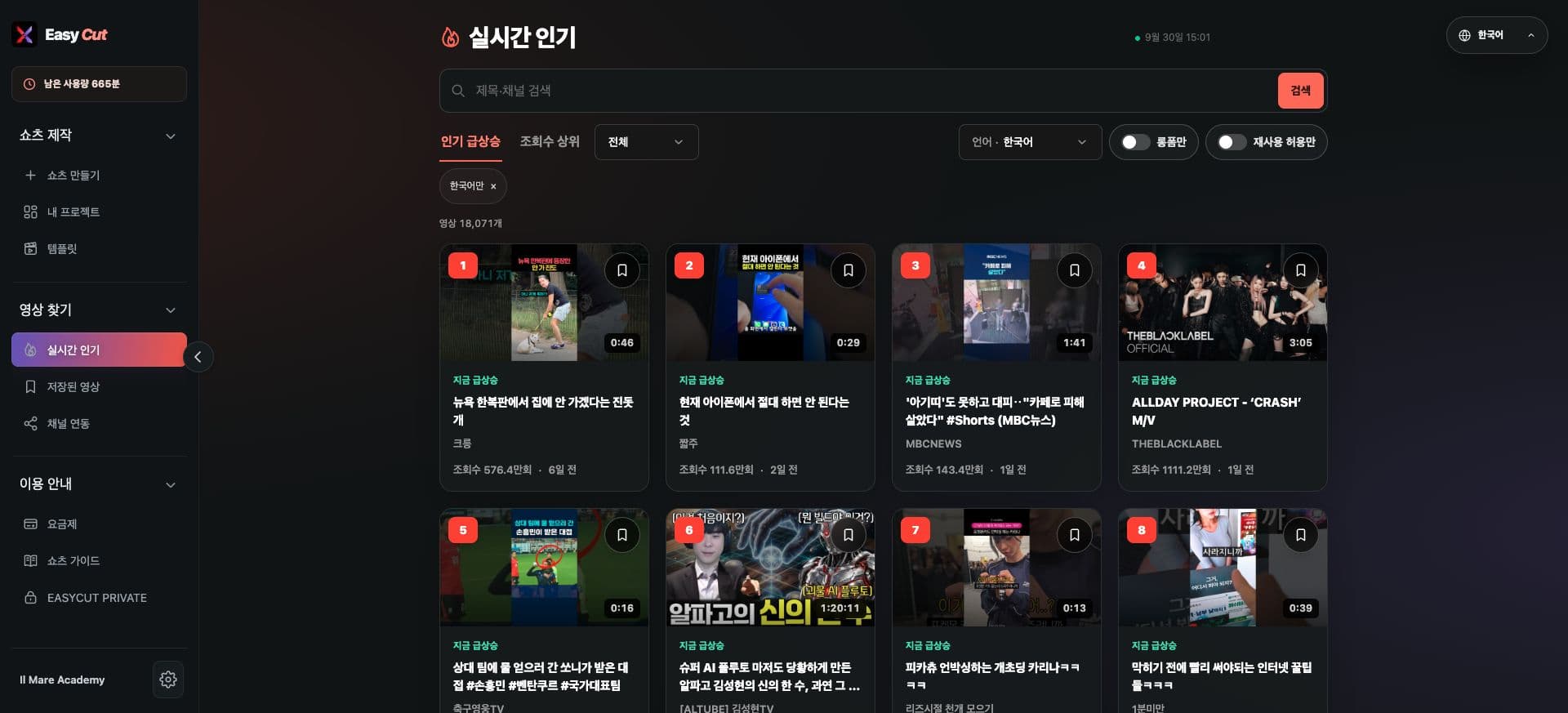
Browse popular videos by desired language conditions, such as Korean, English, and Japanese.
Simplified controls for toggling conditions like 'Long-form only' and 'Reuse allowed only'.
Improved mobile selection screen for easier filter selection, even on smaller screens.
See it on screen
Check where to use it on the actual screen. Press the image to view larger.
- 1Press this icon to save
- 2Language, length, reuse conditions
How to use it
How to use
- 01
Select language from the real-time popular top list.
- 02
Combine 'Long-form' or 'Reuse allowed' conditions.
- 03
Clearing selected conditions allows you to view a wider range again.
Based on the change history for 2026.09.28. Screenshots may differ from the interface at the time of the update and may be in Korean. Check your account, plan and current service notices for feature availability.